How to Auto-Generate PDF Invoices from Shopify and Route Them Directly to Google Drive [Make.com Blueprint]
Manual financial extraction destroys operational bandwidth. E-commerce accounting teams relying on manual CSV exports or native storefront print-to-PDF functions experience severe reporting bottlenecks. Downloading 500 individual Shopify order confirmations as PDFs consumes approximately 12.5 hours of human labor per month. This overhead degrades financial operations.
Tax authorities require immutable, statically rendered invoice files for compliance auditing. Relying on dynamic Shopify order status page links invites compliance penalties. These hosted pages shift based on backend product updates or theme modifications. You must maintain hard-coded, zero-margin PDF documents locked at the exact millisecond of the transaction.
This blueprint delivers a production-grade, event-driven data pipeline using Make.com. By intercepting the Shopify `orders/paid` webhook in real time, isolating the `tax_lines` array, generating a Base64 PDF object, and executing a multipart HTTP POST to the Google Drive API, this architecture eliminates manual financial extraction entirely. Manual downloads fail at scale. Event-driven architectures ensure strict compliance.
1. The Logic & API Architecture: Decoupled Rendering & Storage
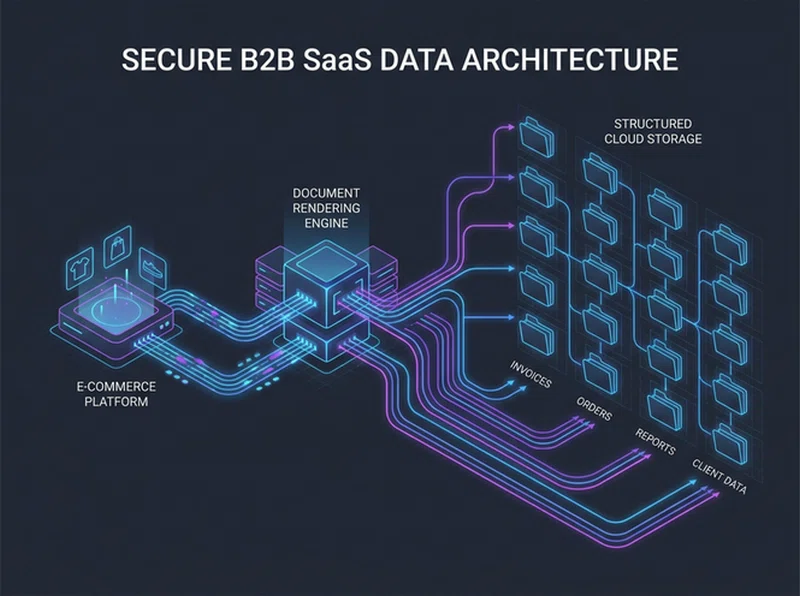
Executing zero-latency document rendering requires decoupling the data ingestion layer from the cloud storage target. The pipeline relies on Shopify’s webhook infrastructure to broadcast transactional payloads instantly upon payment capture. Polling the Shopify API via scheduled GET requests creates dangerous data vulnerability windows. Real-time webhooks protect audit trails.
The architectural complexity lies within managing binary file formats. The integration must ingest structured JSON arrays, map them into a static HTML string template, process that string through a rendering engine to compile a Base64 PDF object, and push it to Google Workspace. You must execute explicit MIME type queries to locate dynamic chronological folders before uploading the binary stream.
The Production Data Flow Pipeline
[Shopify: orders/paid Webhook Event]
       │
       ▼ (Raw JSON: order_number, tax_lines, customer.email)
[Make.com: Webhook Listener & HMAC Verification]
       │
       ▼ (Data Transformation: ISO 8601 to Local Timestamp)
[Tools: Compose HTML String Template]
       │
       ▼ (PDF Engine: Convert HTML to PDF Document)
[Google Drive API: GET /v3/files (Search Year/Month Folder)]
       │
       ▼ (Conditional Router: Create Folder if Not Found)
[Google Drive API: POST /upload/drive/v3/files (Multipart Upload)]
For system administrators configuring FinOps automation, strict compliance with official endpoints is mandatory. Your pipeline must align exactly with the Shopify Admin REST API documentation for array extraction. Similarly, you must adhere to the Google Drive API v3 documentation when executing multipart boundary uploads to prevent file corruption.
2. Node-by-Node Interface Configuration Protocol
Building this automated FinOps engine requires precise parameter mapping inside the Make.com visual designer. Incorrect data typing causes immediate validation failures. Follow this technical blueprint to configure your execution modules without schema errors.
Step 1: Webhook Ingestion & Financial Payload Isolation
Instantiate a Custom Webhook module inside your Make.com workspace canvas. Copy the generated unique webhook listener URL string. Access your Shopify Admin dashboard, navigate to Settings -> Notifications -> Webhooks, and create a new subscription.
Select the event topic strictly as Order payment (`orders/paid`). Set the format to JSON and paste your Make.com listener URL. Excluding `orders/create` is critical. If you generate invoices on `orders/create`, pending authorizations or abandoned alternative payment methods will generate invalid tax receipts for uncaptured funds. This corrupts your accounting ledger.
Review the specific nested JSON structure intercepted by the webhook listener node below. Observe how Shopify encapsulates critical compliance metrics inside the `tax_lines` array block:
{
  "order_number": 1409,
  "financial_status": "paid",
  "total_price": "1450.00",
  "created_at": "2026-08-01T11:21:00Z",
  "tax_lines": [
    {
      "title": "VAT",
      "price": "290.00",
      "rate": 0.2
    }
  ]
}
Step 2: Date Formatting & HTML Invoice Composition
Attach a Make.com Tools -> Compose a String module immediately following your webhook receiver. This module operates as your invoice skeleton. You must map native Shopify properties directly into a standard CSS/HTML table layout to generate the invoice design.
Shopify outputs the `created_at` variable using rigid ISO 8601 formatting. Pass this variable through Make.com's native formatting functions to generate human-readable dates for auditors: `{{formatDate(1.created_at; "YYYY-MM-DD")}}`. Inject the isolated `tax_lines` array values into your HTML table rows to separate base costs from applied tax margins effectively.

Step 3: Base64 PDF Rendering
Attach the ConvertAPI -> Convert HTML to PDF module (or Make.com's native PDF generator) to your composition node. Pass the fully mapped HTML string into the HTML input field. You must force strict rendering parameters to maintain structural integrity.
Set the Page Size to `A4` and the Margins explicitly to `0`. If you fail to lock these dimensions, dynamic table widths from products with long SKU titles will force the PDF to break across multiple pages. This results in misaligned financial totals and rejected auditor submissions.
Step 4: Dynamic Google Drive Routing (Folder by Month/Year)
Hardcoding static folder IDs creates a chaotic drive structure by year-end. Your integration must dynamically sort PDFs chronologically. Deploy the Google Drive -> Search for Files/Folders module to resolve destination paths on the fly.
In the Query parameter field, input exact MIME type syntax to locate the current month's folder: `mimeType = 'application/vnd.google-apps.folder' and name = '{{formatDate(now; "YYYY-MM")}}'`. Configure a Make.com router immediately after this node. If the array output is empty (meaning a new month just started), execute a branch that creates the folder. If it exists, route the payload directly to the Google Drive -> Upload a File module. Map the binary string data from the PDF node into the file upload stream.
Deploy Pre-Configured Document Blueprints
Stop wasting engineering hours debugging HTML array mappings and OAuth drive queries. Download our verified Make.com automated invoice scenario directly into your active operations environment.
Acquire Production-Ready Blueprint4. Field-Battle Edge Cases & Advanced Error Handling
Production FinOps pipelines operate in hostile environments. Missing tax IDs, expired OAuth tokens, and edge-case refunds will break standard automation scripts. Below is the strict engineering protocol to diagnose and resolve runtime failures inside your Shopify-to-Drive architecture.
Edge Case 1: The B2B Missing VAT ID Schema Failure
The Pitfall: B2B customers occasionally bypass standard checkout validation UI, resulting in a null `company` or missing tax ID string in the webhook payload. The HTML renderer leaves broken `undefined` variables on the physical invoice document.
The Logic: If the Shopify payload lacks the `customer.default_address.company` key entirely, your raw HTML structure outputs blank variables. This invalidates the invoice for enterprise clients requiring strict address compliance for their own procurement departments.
PRO-TIP: Utilize the Make.com
{{ifempty()}}{{ifempty(1.customer.default_address.company; 1.customer.first_name)}}Edge Case 2: Google Drive OAuth2 Token Expiry (HTTP 401)
The Pitfall: Make.com suddenly stops pushing PDFs. The execution queue turns red, and the Google Drive module throws an `HTTP 401 Unauthorized` error response.
The Logic: Google Workspace strictly enforces OAuth token lifecycles. If the Make.com connection loses its refresh token validation, the API rejects the multipart HTTP POST payload instantly. This halts your compliance pipeline entirely. Manual recovery is mandatory.
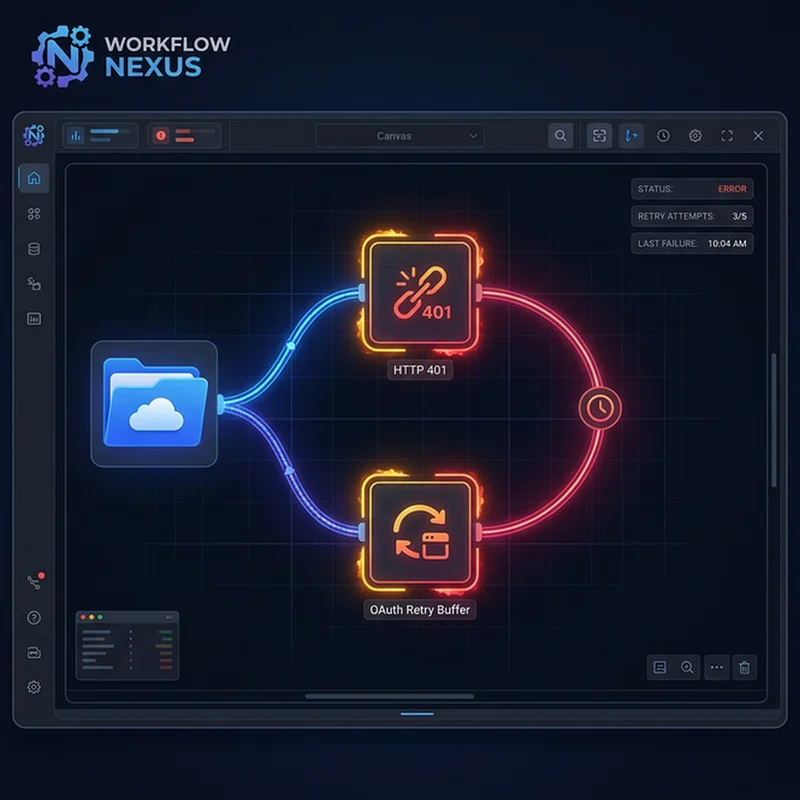
WARNING: A single unhandled HTTP 401 error inside an unbuffered Make.com queue will permanently drop all subsequent PDF generations during a sales spike.
The Fix: Detail an automated retry buffer. Right-click your Google Drive module and attach an Error Handler: Break directive. Configure it to retry execution 3 times at 15-minute intervals. Couple this with a secondary route firing an instant Slack notification alerting administrators to re-authenticate the OAuth Bearer Token. For broader pipeline fixes, reference our guide on buffering high-volume API webhooks to ensure stability across endpoints.
Edge Case 3: Zero-Dollar Orders & Partial Refunds
The Pitfall: Free replacement orders or warranty fulfillments (totaling $0.00) generate tax invoices, confusing automated accounting software imports downstream.
The Logic: The Shopify `orders/paid` webhook fires for 100% discounted orders. Injecting mathematically null invoices into a Drive folder contaminates automated OCR extraction tools deployed by accounting teams.
The Fix: Deploy a Make.com Filter immediately after the webhook listener node. Map the evaluation condition: `1.total_price` -> Numeric operator: Greater than -> `0`. This securely terminates execution for zero-dollar transactions. Additionally, integrate stock depletion strategies detailed in our Shopify Airtable inventory sync guide to prevent overselling refunds from corrupting LTV files.
5. Pre-Flight Production Audit & Verification Checkpoints
Before transitioning your PDF generation architecture from staging environments to live corporate Drive folders, execute these stringent engineering verification checkpoints:
- HMAC SHA-256 Signature Verification: Configure a header validation module immediately following your webhook listener. Verify the `X-Shopify-Hmac-Sha256` token string matches your store's webhook signing secret. This prevents unauthorized actors from executing rogue PDF generation loops via your Make.com ingestion endpoint.
- Array Aggregation Testing: Simulate an order with multiple distinct tax jurisdictions (e.g., State tax and County tax combined). Verify that the `tax_lines` array unpacks correctly into your HTML table rows without overlapping or dropping subsequent percentages.
- Permissions Audit: Verify the Google Workspace Service Account or OAuth profile running the integration has strict `Drive.File` write-only access. It must not possess global administrative privileges, ensuring the automation cannot accidentally delete historical accounting data matrices.
Deploying these exact validation boundaries, automated date formatting, and resilient token-expiry buffering architectures transforms your Google Drive into a fully autonomous, audit-ready compliance engine. By automating invoice rendering, your financial team eliminates manual extraction overhead while maintaining bulletproof accuracy.