How to Auto-Create Subtasks in Asana When a Monday.com Board Milestone Changes
Cross-department data silos destroy operational velocity. Engineering teams build and ship sprints strictly within Monday.com. Marketing and Creative teams execute launch campaigns exclusively inside Asana. When engineering hits a critical deployment milestone, marketing requires five specific subtasks generated instantly to brief copywriters, designers, and ad buyers.
Manual translation between these disjointed platforms fails at scale. Relying on project managers to manually monitor Monday.com boards and copy-paste item variables into Asana consumes approximately 11 hours of bandwidth weekly. This human-driven handoff creates dangerous latency. Product launches miss rigid external deadlines.
To eliminate inter-departmental friction, operations architects must deploy a unidirectional, event-driven webhook pipeline via Make.com. By capturing Monday.com column mutations instantly and executing an HTTP POST payload directly against the Asana API, you automate task delegation. Zero latency. Zero manual data entry. The system forces accountability.
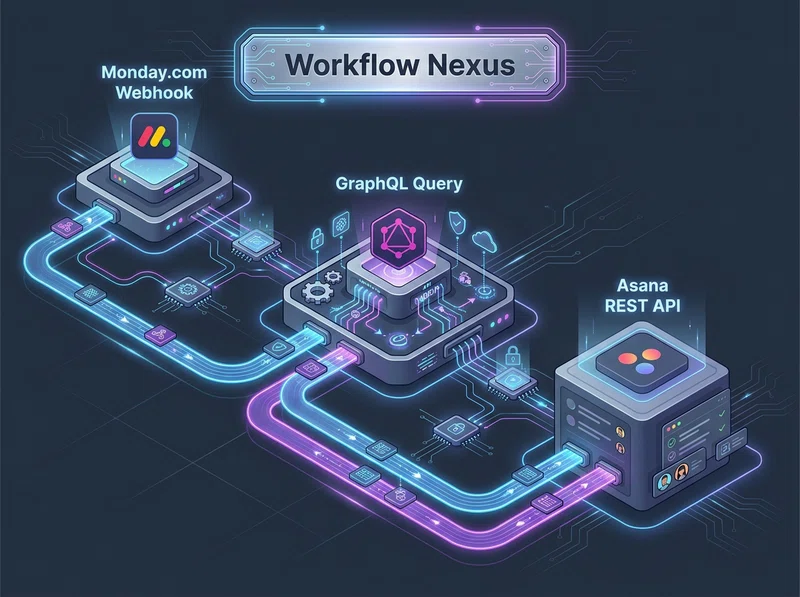
1. The Logic & API Architecture: GraphQL to REST Translation
Connecting Monday.com to Asana requires bridging two entirely distinct API protocols. Monday.com broadcasts board updates via webhooks containing intentionally minimal context. The initial webhook payload omits the item's name, description, and subitem metadata. It only transmits abstract numeric identifiers.
Your integration middleware must catch this initial webhook, immediately query Monday.com's GraphQL API to hydrate the missing string variables, and map those variables into a standard JSON array. Asana operates on a traditional REST API v1 architecture. You must execute an explicit HTTP POST request to inject the parsed array directly into the target Asana project.
The Production Data Flow Protocol
[Monday.com: Column Value Changed Webhook]
       │
       ▼ (Raw JSON: event.pulseId, event.value.label)
[Make.com: Webhook Listener & Conditional Filter]
       │
       ▼ (Monday.com GraphQL: query { items(ids: pulseId) { name } })
[Make.com: Data Transformation & Text Parsing]
       │
       ▼ (Asana REST API: GET /projects/{project_gid}/tasks)
[Conditional Router: Find or Create Parent Task]
       │
       ▼ (Asana REST API: POST /tasks/{task_gid}/subtasks)
[Make.com Iterator: Generate Multiple Subtasks]
System administrators must review the documentation rigorously. Refer to the Monday.com GraphQL API documentation to format your item hydration queries. Simultaneously, validate your outbound payloads against the Asana REST API v1 specifications to prevent schema rejections.
2. Node-by-Node Interface Configuration Protocol
Deploying this automated dispatch engine requires precise parameter mapping inside Make.com. A single malformed Global ID (GID) string will crash the execution thread. Follow these technical configurations explicitly to guarantee payload delivery.
Step 1: Monday.com Webhook Ingestion & Filtering
Instantiate a Make.com Custom Webhook module on a blank scenario canvas. Extract the generated unique listener URL string. Navigate directly to your Monday.com board integration center. Create a webhook subscription targeting the specific column mutation.
Configure the webhook to fire exactly when the Milestone column changes. Do not subscribe to general item updates. General subscriptions flood your Make.com queue and deplete operation limits.
Review the exact nested JSON structure emitted by Monday.com below. Isolate the immutable `pulseId` required for the subsequent GraphQL query.
{
  "event": {
    "userId": 1928374,
    "pulseId": 88392011,
    "boardId": 4492019,
    "value": {
      "label": { "text": "Done" }
    }
  }
}
Step 2: Item Hydration via GraphQL
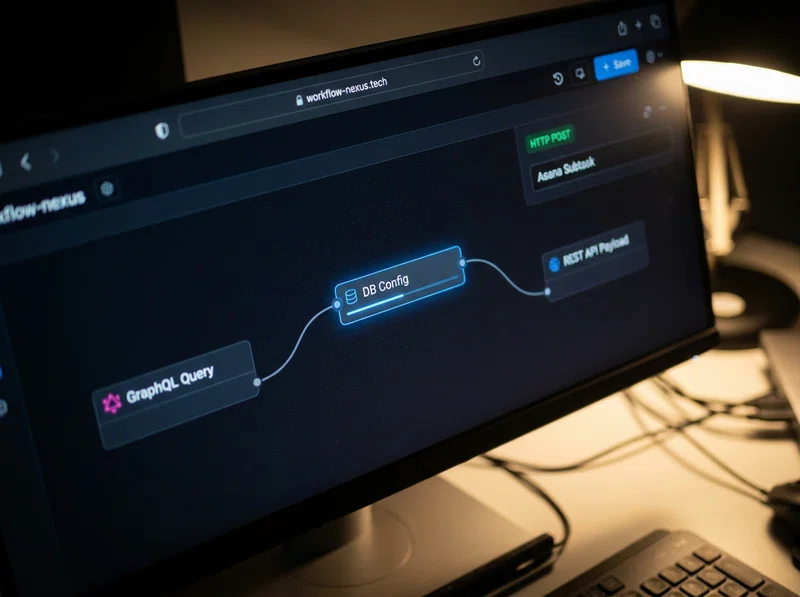
The raw webhook payload lacks the item name and textual description. Insert a Monday.com -> Execute a GraphQL Query module directly after the webhook listener.
Write the exact GraphQL query passing the dynamic `1.event.pulseId` variable to extract the `name` and specific `column_values`. This query retrieves the rich text parameters needed to brief the Asana marketing team accurately. If you need a deeper breakdown of structural mutation parameters, review our guide on automating Monday.com board dispatch via GraphQL.
query {
  items (ids: {{1.event.pulseId}}) {
    name
    column_values {
      id
      text
    }
  }
}
Step 3: Asana Parent Task Resolution
Marketing requires these generated subtasks attached to a specific master campaign. Deploy an Asana -> Search Tasks module to resolve the destination dynamically.
Configure the module to query the Asana `/workspaces/{workspace_gid}/tasks/search` endpoint. Use the hydrated Monday.com item name from Step 2 to locate the active parent task object. The API returns an absolute `task_gid`. You must target this specific GID to append subtasks correctly.
Step 4: Subtask Array Iteration & Generation
Attach a Make.com Router followed by an Asana -> Create a Subtask module. Map the exact JSON parameters required by Asana. To generate multiple targeted assignments instantly, execute the HTTP POST payloads dynamically.
Hardcode the standard subtask titles (e.g., `Draft Release Notes`, `Update Website Banner`) directly into an Iterator module. Route the iterator output array into the Asana creation node. Map the structured payload strictly as follows:
{
  "data": {
    "name": "{{4.value}}: {{2.data.items[].name}}",
    "notes": "Triggered by Monday.com Engineering Milestone completion. Execute immediately.",
    "assignee": "1203948102"
  }
}
Download the Cross-Platform Sync Blueprint
Stop writing manual JSON mapping logic and complex error-handlers from scratch. Download our pre-configured automation script to bridge Monday.com and Asana instantly.
Download Cross-Platform Sync Blueprint4. Field-Battle Edge Cases & Advanced Error Handling
Cross-platform data integration breaks rapidly during traffic spikes. Unhandled API constraints, identity mapping failures, and webhook loop spasms will crash your execution logic. Deploy the following strict configurations to secure your pipeline.
Edge Case 1: Asana HTTP 429 Too Many Requests (Rate Limiting)
The Pitfall: A project manager bulk-updates 15 Monday.com items to the "Done" milestone simultaneously during a Friday sprint review. The integration attempts to spawn 75 distinct Asana subtasks in 3 seconds. Asana blocks the incoming requests, returning an immediate `HTTP 429` exception.
The Logic: The Asana API enforces a rigid rate limit of 150 requests per minute for standard corporate accounts. Breaching this ceiling drops the JSON payloads completely. Subtasks vanish. The marketing team never receives the briefs.
WARNING: Unbuffered iterators will crash your pipeline during bulk operations. Make.com drops unhandled 429 errors instantly, resulting in catastrophic data loss.
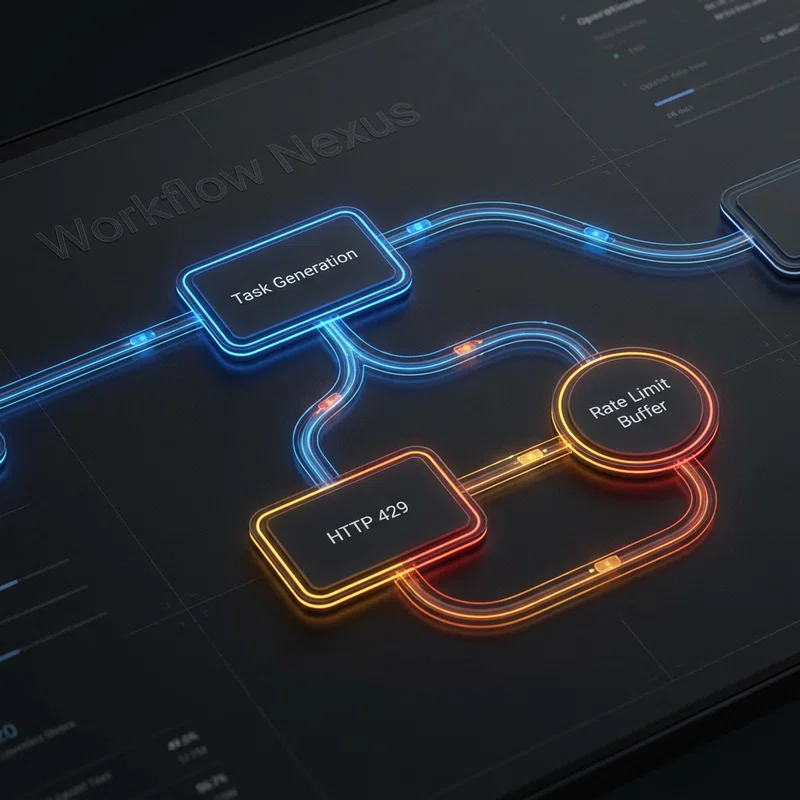
The Fix: Attach an Error Handler: Break directive directly to the Asana subtask generation module. Configure it to retry execution 5 times with a 60-second delay interval. This automated buffer allows the Asana token bucket to reset safely before re-attempting the payload injection. Refer to our extensive documentation on handling API rate limits and webhook drops for deeper buffering strategies.
Edge Case 2: Cross-Platform Identity Mapping Failures (HTTP 400)
The Pitfall: The pipeline attempts to assign the Asana subtask automatically to the exact user who triggered the Monday.com webhook. The Make.com scenario executes, but Asana rejects the payload, returning an `HTTP 400 Bad Request: Invalid Assignee` error.
The Logic: Monday.com uses a proprietary, 7-digit numeric `userId` string (e.g., `1928374`). Asana uses a completely distinct, 10-digit numeric `assignee_gid` string (e.g., `1203948102`). Mapping a Monday.com internal identifier directly into an Asana assignee field breaks the API schema instantly.
PRO-TIP: Never map user IDs directly between siloed SaaS platforms. Implement a deterministic mapping array to translate user entities safely before executing POST requests.
The Fix: Implement a Make.com Data Store or utilize a static JSON Switch function immediately preceding the Asana node. This logic maps specific Monday.com IDs to their corresponding Asana `assignee_gid` equivalents. Ensure fallback logic routes unmapped IDs to a default PM master account to prevent outright execution failures.
Edge Case 3: Webhook Infinite Re-Entrancy Loops
The Pitfall: Your integration writes a confirmation string back to Monday.com, changing a "Sync Status" column to "Asana Updated." This column mutation inadvertently re-triggers the broad board webhook. The scenario fires again, creating an infinite recursive loop.
The Logic: Webhooks blindly broadcast state changes. If your automation touches the board, it triggers itself. This burns through Make.com monthly operation limits in minutes and generates thousands of duplicate subtasks in Asana.
The Fix: Instruct the operator to implement a strict filter immediately after the Make.com webhook listener. Map the condition: `1.event.value.label` Equal to `Done` AND `1.event.userId` Not equal to `[Make.com API User ID]`. This explicitly blocks the API key from triggering its own scenario executions.
5. Pre-Flight Production Audit & Verification Checkpoints
Do not push this cross-department integration to your live operations without executing the following strict validation checks. Failure to audit endpoint logic will misallocate resources and corrupt active campaigns.
- Asana GID Verification: Hardcode and verify your `workspace_gid` and `project_gid` parameters. Asana GIDs are immutable, rigid strings. Copying an arbitrary URL parameter by mistake will cause an immediate `HTTP 404 Not Found` error.
- GraphQL Rate Limits: Verify your Monday.com complexity limits. Simple item hydration queries consume approximately 10 complexity points, remaining well under the 1,000,000 per minute limit. However, heavy nesting inside the query string must be avoided.
- Webhook Challenge Authentication: Ensure Make.com successfully responds to Monday.com's initial `challenge` verification JSON payload upon webhook creation. The custom webhook node handles this natively, but custom backend servers require explicit `HTTP 200` challenge echoes.
- Iterator Validation: Monitor your Iterator output bundles. Ensure that creating 5 subtasks per item trigger generates exactly 5 distinct `HTTP POST` executions, validating array lengths before writing to the Asana endpoint.
Deploying these precise GraphQL queries, JSON array aggregators, and defensive idempotency locks transforms disjointed departments into a singular, synchronized machine. By automating inter-platform task delegation, operations teams reclaim hours of manual transcription while guaranteeing rigid, error-free campaign execution.
Scale Your Work OS Infrastructure
Connecting disparate teams requires enterprise-grade architecture. Scale your project management framework across departments safely and eliminate operational silos permanently.